Using the App — Parent
Parents follow their child’s growth. Amal gives parents a warm, plain-language view of how each child is progressing — described as a growth journey, never as numbers, scores, or labels. If you have more than one child, you switch between them easily and never see another child’s information.
Parent home
The home screen lists your children, each with a growth-language summary. From here you can also open accessibility options and manage notifications.
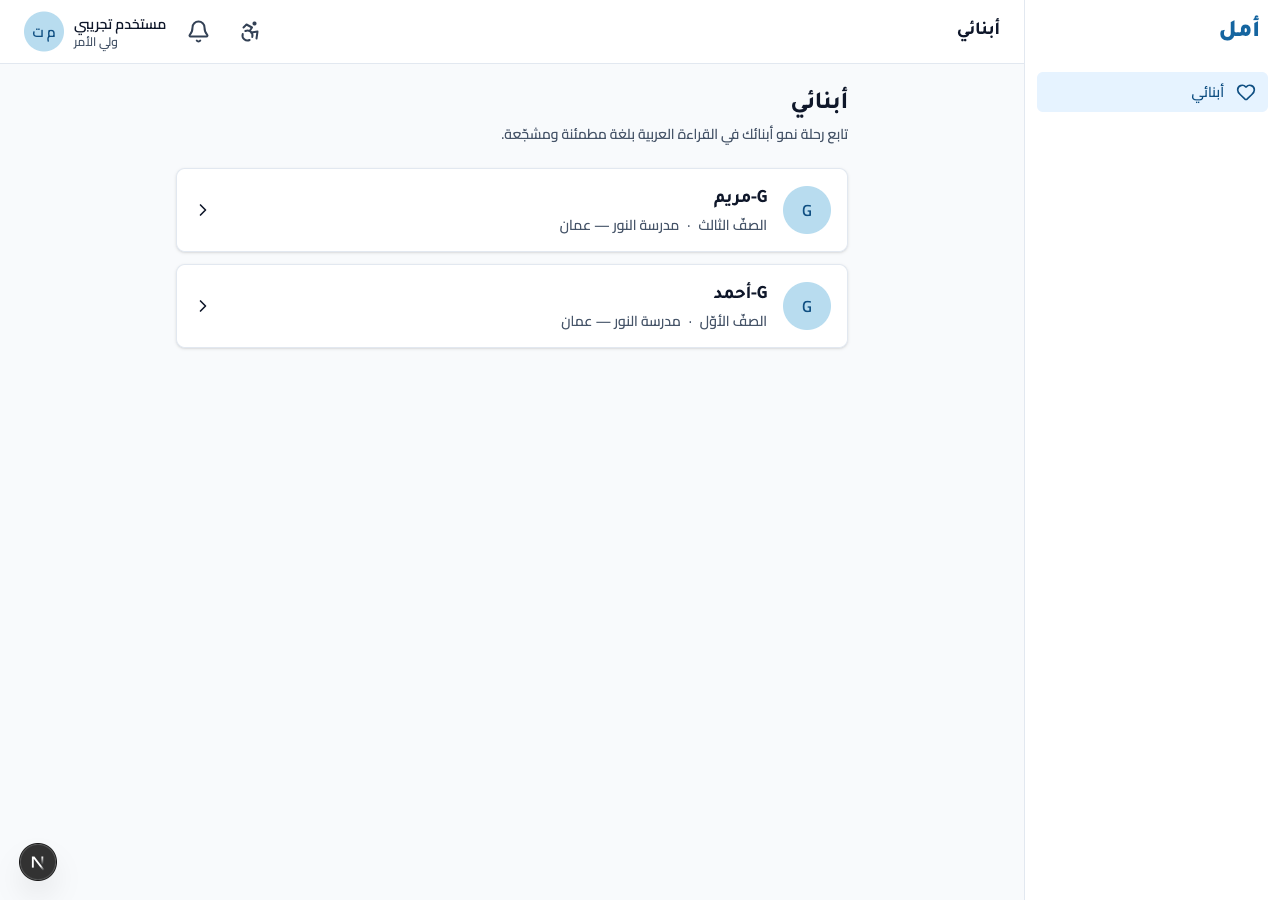
How to:
- Review your children’s cards — each shows a short, encouraging growth summary.
- Open the accessibility dialog for high-contrast and dyslexia-friendly font options.
- Use the notifications control to manage the growth updates you receive.
- Click a child’s card to open their growth journey.
A child’s growth journey
Each child’s page is a growth journey across the six macro domains, with home tips and practice stations. Every status is in plain, encouraging language — there are no percentages, no test scores, and no clinical terms.
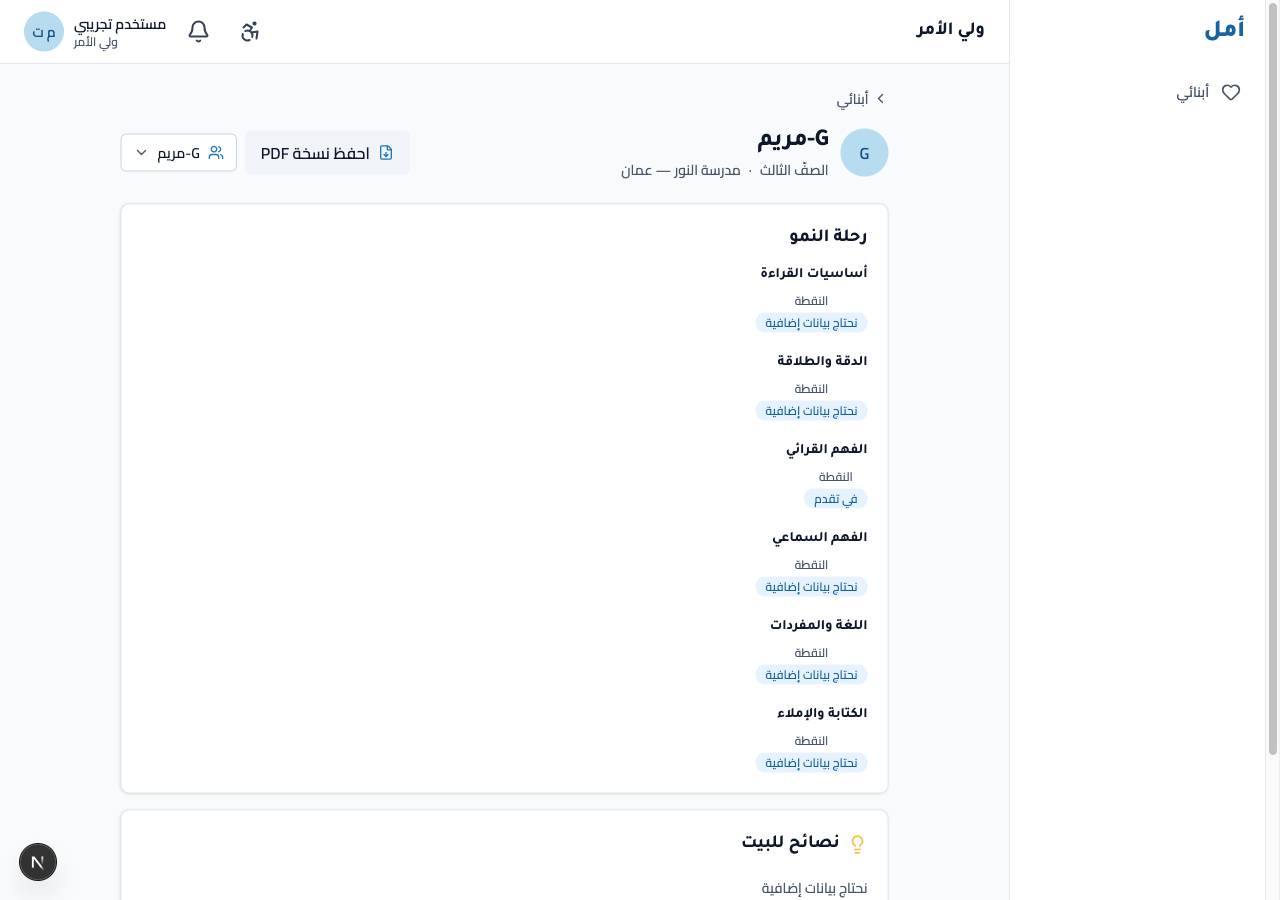
How to:
- Read the six growth regions to see where your child is making progress.
- Use the home tips to support learning at home.
- Use the child switcher at the top to move to another of your children.
When you switch to a child with less data yet, the page shows a distinct, gentle “we need a little more information” state — confirming each child’s view is entirely their own.
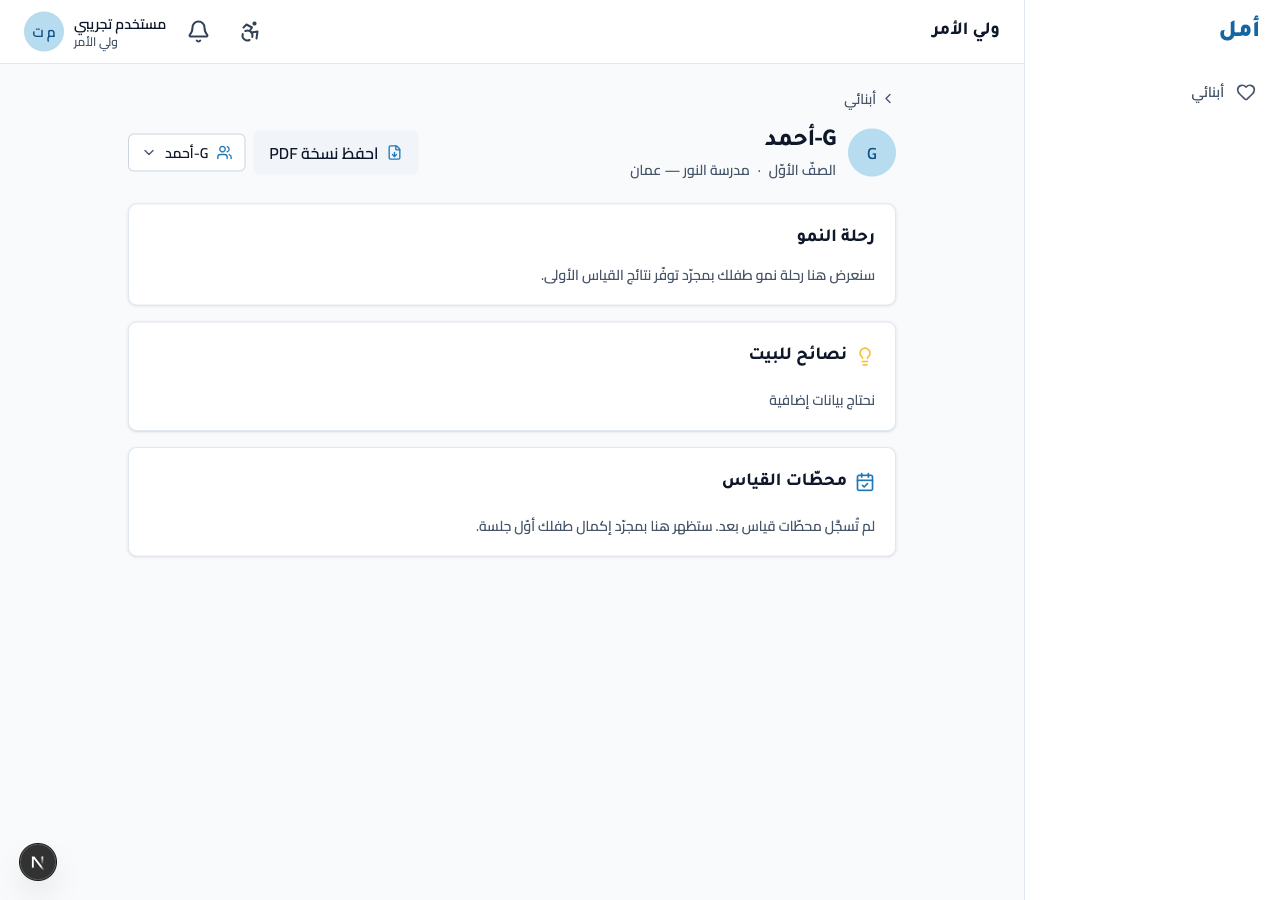
Saving a child’s growth report as a PDF is part of the parent experience and is being finalised in this build. When available, the saved report uses the same warm, number-free language as the on-screen view.
On phone and tablet
- On a wide screen a navigation rail returns on the right.
- On a phone you navigate from a bottom bar; the six growth regions stack into a single comfortable column.
The parent view is right-to-left and number-free at every size, and switching between children never reveals anything beyond your own children.